Ghost Viewing: The Midnight Habit That's Skewing Your Recommendations and Running Up Your Bandwidth

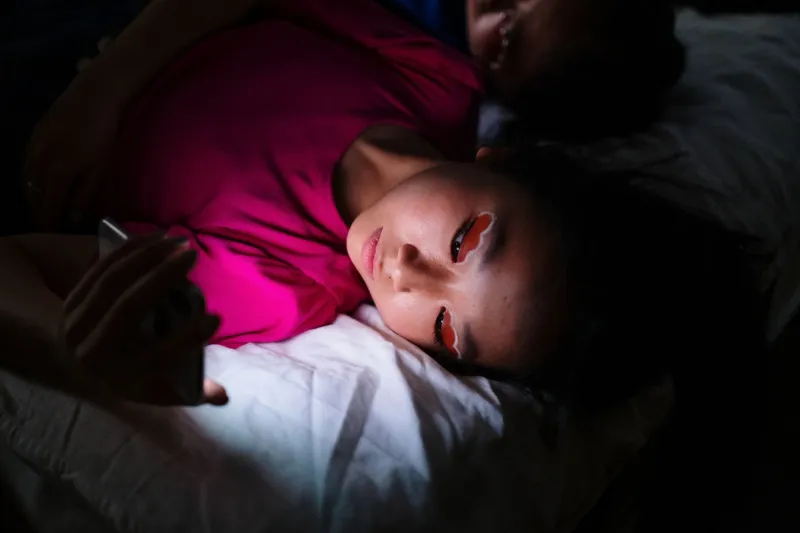
Photo by Photo by Alicia Christin Gerald on Unsplash on Unsplash
It's 11:47 p.m. You're horizontal, remote somewhere in the blanket abyss, eyelids at half-mast. The next episode starts. Then the one after that. Somewhere around 3 a.m., your television finishes an entire season of a crime drama you don't remember agreeing to watch — because you were, technically, asleep.
Welcome to ghost viewing: the quiet phenomenon where auto-play keeps your account active long after you've checked out. It's one of the most common — and least discussed — behaviors in American streaming, and it has ripple effects most people never think about.
What's Actually Happening After You Doze Off
Most major platforms ship with auto-play enabled by default. Netflix, Hulu, Max, Disney+ — the next episode begins after a short countdown, and nobody asks whether you're conscious. Idle screens on smart TVs often default to a screensaver or ambient loop, but if an app is still running, it's still pulling data.
The result: a household of four can easily generate 30 to 50 extra gigabytes of streamed content per month that no human ever watched. On unlimited internet plans, that's invisible. But with roughly a quarter of U.S. home internet users now on capped or tiered plans — satellite and fixed wireless customers especially — ghost viewing can nudge a bill over its threshold without anyone lifting a finger.
The Recommendation Contamination Problem
Here's the part that should bother you even more than bandwidth: your platform thinks that was you.
"Streaming algorithms don't distinguish between active engagement and a screen that happens to be on," explains Dr. Rachel Meiners, a behavioral sleep researcher who studies screen habits. "If the system logs four hours of a true-crime series at 2 a.m., it reads that as a strong preference signal. It doesn't know the viewer was unconscious."
That means ghost viewing can quietly warp what shows up on your home screen. Fall asleep to a documentary series once and you might see the genre colonize your recommendations for weeks. In shared households, it gets messier — a parent's late-night auto-play can flood a teen's profile suggestions with content they never chose, especially on setups where profiles aren't consistently used.
Sleep researchers have a second concern, too. "Ambient light and sound from a playing screen can fragment sleep even after you've dozed off," Meiners notes. "The blue light suppresses melatonin, and plot audio can pull you back toward lighter sleep stages. The episode you 'slept through' may still have cost you rest."
The Household Profile Effect
Ghost viewing also muddies the household-level data platforms use to make decisions. Completion rates — the metric services treat as gold — get inflated by episodes nobody finished on purpose. A show that seems to have sky-high engagement at 3 a.m. may actually be a sleep aid with a fan base of unconscious viewers.
That doesn't just affect your queue. Aggregated across millions of accounts, ghost viewing can make a niche series look like a sleeper hit, influencing renewal decisions and what gets promoted to everyone else. Your unconscious couch has a vote in what America watches next.
Lock It Down: A Five-Minute Bedtime Protocol
The good news: this is entirely fixable, and it takes less time than the countdown between episodes.
1. Kill auto-play at the source. In Netflix, head to Account > Profile > Playback Settings and uncheck auto-play for both next episodes and previews. Hulu, Max, and Disney+ have similar toggles in their playback or profile settings. Do it per profile — and actually use separate profiles.
2. Set a sleep timer where available. Several smart TV platforms and apps now offer sleep timers that pause playback after 30, 60, or 90 minutes. Roku, Apple TV, and a number of smart TV brands support this natively or via settings — dig into your device's system menu, not just the app.
3. Use your TV's idle settings. Most modern TVs can be set to turn off after a period of inactivity or dim to a true blank screensaver rather than a bright ambient loop. Check under System > Power or Eco settings.
4. Audit who's "watching." Once a month, skim your viewing history. If a show you don't remember has hours logged overnight, you've found your ghost. Remove it from your history where the platform allows it to scrub the recommendation signal.
5. If you need sound to fall asleep, route it deliberately. A Bluetooth speaker with a sleep timer, or an audio-only app, keeps the light out of your eyes and the video data off your connection.
The Bigger Picture
Streaming was sold to us as choice — you press play, you watch. But the default settings tell a different story: platforms are optimized for continuous playback, not conscious viewing. Ghost viewing sits at the intersection of that design philosophy and human biology, and the data it generates is quietly shaping what gets made, what gets recommended, and what you pay for bandwidth.
You don't have to swear off the late-night wind-down episode. Just make sure that when you tap out, your TV taps out with you. Your recommendations, your sleep, and possibly your internet bill will all be better for it.